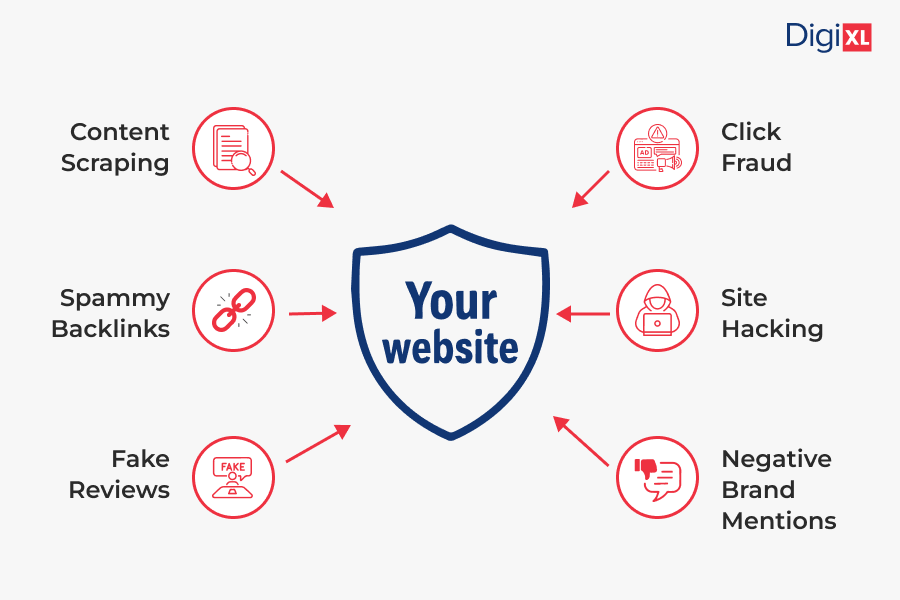
When we think of SEO, we usually picture strategies that boost rankings like building backlinks, optimizing content, and improving site speed. But there’s a darker side to SEO that not many talk about: Negative SEO.
It’s a tactic where competitors or malicious actors try to hurt your website’s search engine performance instead of improving their own. If left unchecked, it can tank your rankings, traffic, and even your brand reputation.
So, what exactly is negative SEO, how do you spot it, and most importantly, how do you protect yourself from it? Let’s dive in.
What is Negative SEO?
Negative SEO refers to unethical and manipulative practices aimed at sabotaging a website’s search engine rankings. Unlike traditional SEO, which improves visibility, negative SEO is used to create penalties, distrust, or ranking drops for the target site.
These tactics often exploit search engine rules to make your website look spammy or unreliable in the eyes of Google.
Common Types of Negative SEO Attacks
Not all negative SEO looks the same. Here are the most common forms you should know about:
1. Spammy Backlink Building
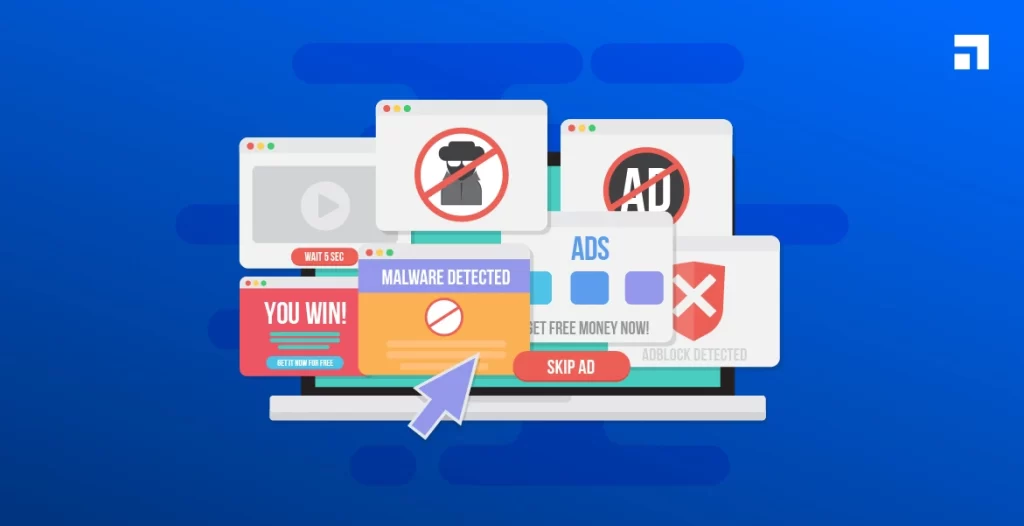
One of the most common and damaging forms of negative SEO is spammy backlink building. This is when malicious actors (often competitors) intentionally create a large number of low-quality, irrelevant, or harmful backlinks that point to your website.
Normally, backlinks are a positive SEO signal because they indicate authority and trust. But when your backlink profile is flooded with links from shady sources, like gambling sites, adult content pages, link farms, or hacked domains, it looks unnatural in Google’s eyes.
Here’s why this is a problem:
- Algorithmic Penalties: Google’s algorithms are designed to detect manipulative link schemes. If your backlink profile suddenly shows thousands of toxic links, it can trigger a ranking drop.
- Manual Actions: In some cases, your site may even get flagged by a Google reviewer for “unnatural links,” leading to a manual penalty.
- Diluted Authority: Even if you don’t get penalized, spammy backlinks can dilute the value of your genuine high-quality backlinks, weakening your domain authority over time.
How to Spot It:
- Use Google Search Console to monitor “Links to Your Site.” Look for sudden spikes in referring domains.
- Check anchor text distribution. If you see strange or irrelevant anchor texts like “cheap pills” or “casino bonus” pointing to your site, that’s a red flag.
- Tools like Ahrefs or SEMrush can help you track the quality of backlinks and identify spammy patterns.
How to Respond:
- Don’t panic if you see a few bad links; every site has them. The danger comes when there’s a suspicious surge of toxic backlinks.
- Conduct regular backlink audits to keep your profile clean and protect against sudden attacks.
2. Content Scraping and Duplication
Content scraping happens when someone copies your original blog posts, product descriptions, or web pages and republishes them across multiple sites, sometimes even before Google indexes your original page.
At first glance, it may not sound too harmful, but here’s why it’s dangerous:
- Duplicate Content Confusion: Search engines struggle to determine which version is the “original” and may end up ranking the copied version higher than yours.
- Diluted Authority: Instead of your site getting full SEO credit, authority signals get spread across multiple versions of the same content.
- Traffic Loss: If users land on the plagiarized content instead of your original site, you miss out on valuable organic traffic and potential conversions.
How to Spot It:
- Use tools like Copyscape or Grammarly’s plagiarism checker to detect if your content is published elsewhere.
- Set up Google Alerts for unique phrases from your articles to see where they pop up online.
How to Respond:
- Reach out directly to the site owner and request content removal.
- If ignored, file a DMCA takedown notice with Google to remove plagiarized pages from search results.
- Strengthen your own site’s authority with internal linking and quick indexing to signal ownership of content.
3. Fake Negative Reviews
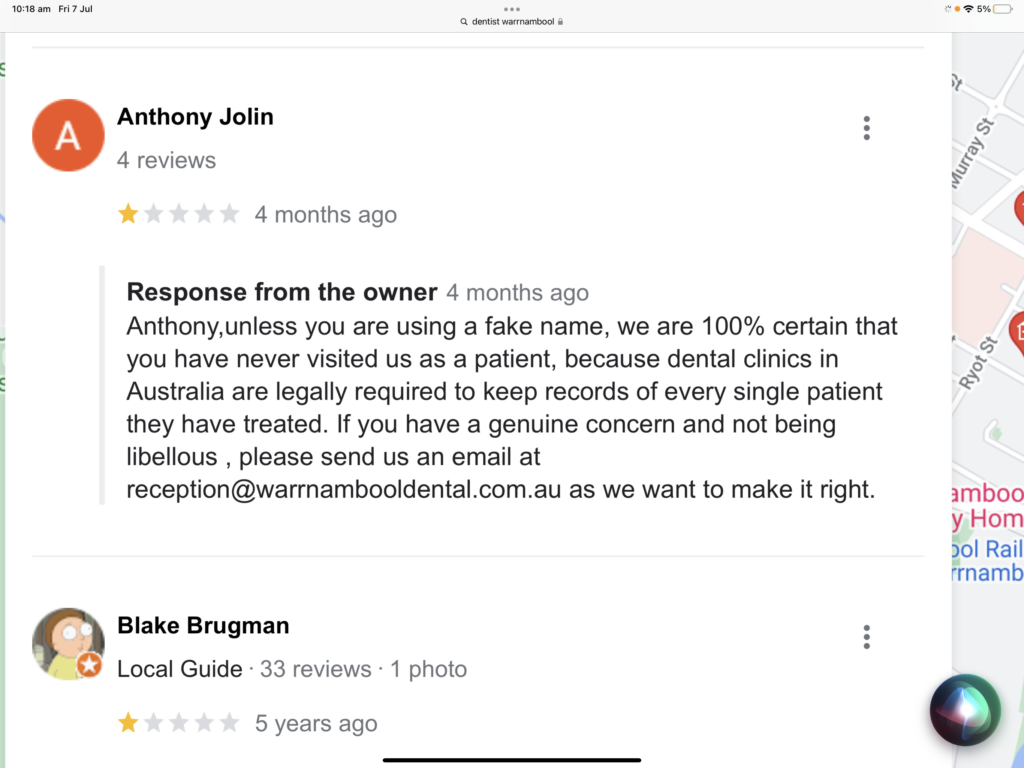
In today’s digital-first world, online reputation is as important as rankings. Competitors or malicious actors may post fake 1-star reviews on platforms like Google Business Profile, Yelp, Trustpilot, or industry-specific directories.
The risks are clear:
- Damaged Reputation: A string of poor reviews can make potential customers second-guess your credibility.
- Lower Local SEO Rankings: Google factors reviews and ratings into local search visibility. Fake negatives can hurt your position in the “map pack.”
- Loss of Trust: Even a small number of suspicious reviews can chip away at brand trust.
How to Spot It:
- Look for suspicious patterns: multiple reviews posted in a short time, reviewers with no profile picture or history, or vague/irrelevant complaints.
- Compare reviews across different platforms to check for consistency.
How to Respond:
- Flag and report suspicious reviews directly to the platform.
- Respond politely and professionally to fake reviews, showing customers you care (this also signals transparency).
- Proactively request genuine reviews from happy customers to drown out the fake ones.
4. Hacking and Malware Injections
This is one of the more extreme forms of negative SEO. Attackers may hack into your website to inject harmful elements such as:
- Spammy outbound links pointing to shady sites.
- Hidden content stuffed with keywords to make your site look manipulative.
- Malware or phishing scripts that harm users and get your site blocklisted by Google.
The consequences can be severe:
- Immediate Ranking Drops: Google flags hacked sites with warnings in search results, tanking your click-through rate.
- Loss of Trust: Visitors are unlikely to return if they encounter security warnings.
- Revenue Loss: If your site is used for phishing or malware, payment gateways and partners may suspend you.
How to Spot It:
- Use security plugins like Wordfence and Sucuri to scan your site.
- Check Google Search Console for “Security Issues” alerts.
- Monitor site speed and unusual redirects that may indicate tampering.
How to Respond:
- Clean your site immediately using security software or professional help.
- Reset all passwords and enable two-factor authentication.
- Submit a review request in Google Search Console after fixing the issue so warnings are lifted.
5. Crawling and Server Overload
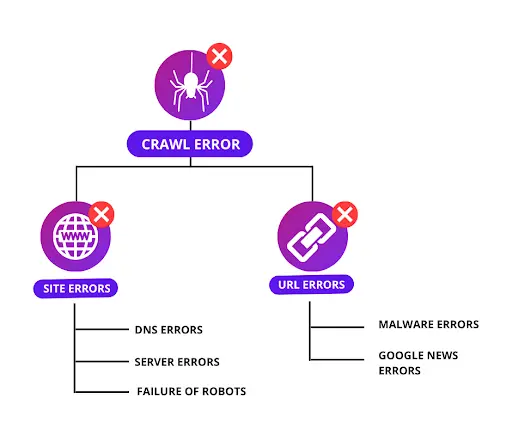
Another sneaky tactic involves sending massive amounts of fake traffic or bots to your site in an attempt to overload your server. This is sometimes called a DDoS (Distributed Denial of Service) attack when done at scale.
Why it hurts your SEO:
- Slow Page Speed: Search engines use page speed as a ranking factor, and overloaded servers can make your site painfully slow.
- Site Downtime: If your site goes offline due to server strain, Google may temporarily deindex it.
- Poor User Experience: Visitors may leave quickly if pages don’t load, which signals low engagement.
How to Spot It:
- Monitor traffic patterns in Google Analytics or server logs. A sudden spike in bot-like traffic (often from unfamiliar countries or IP addresses) is a giveaway.
- Use tools like Cloudflare or Sucuri Firewall to track unusual activity.
How to Respond:
- Set up a web application firewall (WAF) to filter malicious traffic.
- Use rate-limiting and CAPTCHAs to prevent bots from overwhelming your site.
- Consider a content delivery network (CDN) like Cloudflare or Akamai to balance server load.
How to Prevent Negative SEO
You can’t stop competitors from trying shady tactics, but you can make your site harder to attack. Prevention is all about being proactive and keeping an eye on the right things. Here’s how:
1. Regularly Audit Your Backlinks
Backlinks are like votes of confidence for your site, but when spammy ones pile up, they can do more harm than good. Google Search Console (GSC) is the simplest way to stay on top of them.
To check for toxic backlinks, head to “Links” in the left-hand menu of GSC. Under “Top linking sites,” click “MORE” to see the full list. Watch out for shady sites linking to lots of your pages or irrelevant domains you don’t recognize.
Next, review “Top linking text” in the same section. If you spot anchors like “cheap pills,” “casino,” or “betting,” that’s a strong sign of negative SEO. If you confirm the links are spammy, you can disavow them through Google’s Disavow Tool to protect your site.
2. Strengthen Website Security
Hackers love to sneak spammy links or malware into vulnerable sites, and even a small breach can get your site flagged by Google. A reliable security plugin like Wordfence (for WordPress users) makes this much easier.
Once installed, run regular scans to check for suspicious code, unwanted redirects, or hidden content. Its firewall will also block malicious bots before they overload your server. Think of it as having a security guard who keeps an eye on every door and window of your site.
3. Set Up Brand Alerts
If someone copies your blog posts or pretends to be your brand, you don’t want to find out months later. That’s where Google Alerts comes in handy.
Go to Google Alerts, type in your brand name or website URL, and set the frequency (daily updates work best). From then on, you’ll get an email whenever your name or content pops up online. It’s a quick way to catch plagiarism or impersonation before it spreads.
4. Monitor Online Reputation
Your reviews don’t just influence customers, they also impact local SEO rankings. Fake negative reviews can chip away at both.
Inside your Google Business Profile dashboard, check reviews regularly. If you spot a suspicious one, click “Report review” and follow the prompts.
Even if the review is fake, always respond politely, your reply shows professionalism and reassures potential customers. At the same time, keep encouraging happy customers to share real reviews so the positives outweigh the negatives.
Long-Term SEO Protection
Recovering from a negative SEO attack is important, but the real goal is to make your site resilient so you don’t have to constantly fight fires. By setting up smart systems, maintaining a healthy backlink profile, and building trust with both users and search engines, you can safeguard your rankings for the long run.
1. Setting Up Alerts and Ongoing Monitoring
One of the easiest ways to stay ahead of attacks is by putting monitoring on autopilot. Instead of manually checking everything, set up Google Alerts for your brand name, website URL, or unique content snippets. This way, you’ll know immediately if someone copies your content or misuses your brand.
For backlinks, keep an eye on Google Search Console. Schedule a monthly review of your link profile so you can spot any suspicious or irrelevant domains linking to you. This proactive habit ensures you catch problems early before they damage your rankings.
2. Building a Resilient Backlink Profile
A strong backlink profile is your best defense against spammy links. Search engines are less likely to penalize a site with a large number of legitimate, high-quality links if a few bad ones appear.
Focus on:
- Publishing high-value, original content that naturally earns shares and links.
- Reaching out to industry blogs and websites for guest posting opportunities.
- Building relationships with influencers and thought leaders in your niche.
When your profile is balanced with trustworthy backlinks, negative SEO attempts lose their power.
3. Encouraging Authentic Customer Reviews
Fake reviews can hurt, but they’re far less effective when you consistently gather real, positive feedback. Encourage happy customers to share their experiences on Google Business Profile, Yelp, or industry-specific review platforms.
A few ways to make this natural:
- Send follow-up emails after a purchase or service with a direct review link.
- Display review call-to-actions on your website or thank-you pages.
- Offer exceptional customer service that makes people want to recommend you.
Over time, authentic reviews not only outweigh fake ones but also strengthen your brand’s online reputation and trustworthiness.
4. Investing in Site Security for Peace of Mind
Website security isn’t just about avoiding hacks—it’s about protecting your visitors, your data, and your SEO reputation. A hacked website often spreads malware or hosts spammy content, which can lead to Google flagging or even de-indexing your site.
Some long-term security steps include:
- Using an SSL certificate (HTTPS is now a ranking factor).
- Keeping CMS platforms, plugins, and themes updated.
- Enabling two-factor authentication for admin logins.
- Installing a trusted security plugin or firewall (e.g., Wordfence for WordPress).
- Scheduling automatic backups so you can restore quickly if needed.
By treating security as part of your SEO strategy, you reduce vulnerabilities and build long-lasting trust with search engines and users alike.
Final Thoughts
Negative SEO might sound scary, but the good news is: search engines like Google are getting better at identifying and ignoring manipulative practices. Still, staying proactive is your best defense.
By monitoring your site regularly, keeping your security strong, and acting fast when issues arise, you can protect your rankings and ensure your website thrives.
At DigiXL Media, we help brands safeguard their online presence and stay ahead of the curve with smart SEO strategies. Want to protect your site from harmful attacks and boost your search visibility? Reach out to us and let’s secure your SEO foundation together.
Don’t forget to follow us on LinkedIn, X, and Facebook for daily insights on defending your brand online and maximizing long-term digital growth.