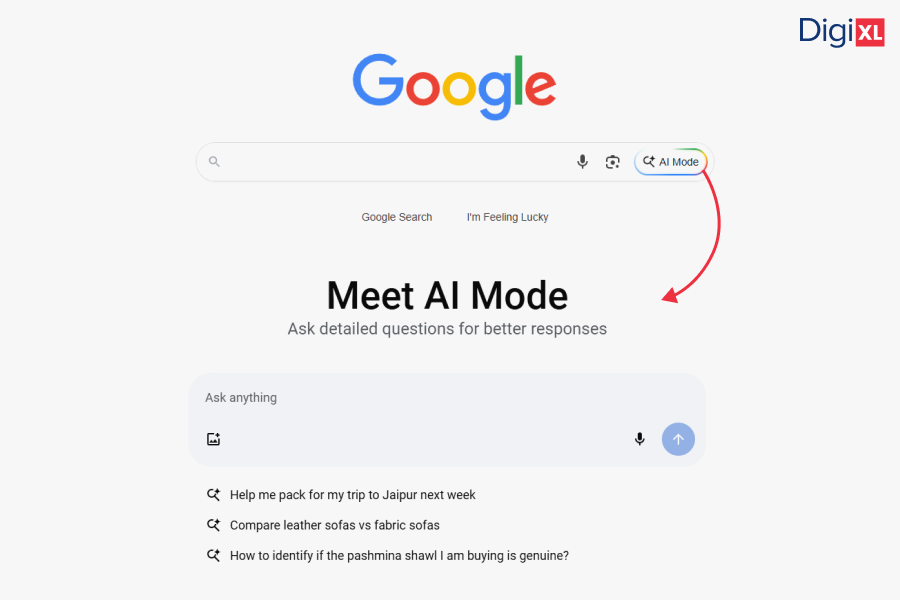
In what feels like a defining moment for the future of search, Google has started rolling out an AI Mode button directly on its homepage, right next to the iconic search box. What began as quiet testing over the past few months is now showing up more widely for users in both the U.S. and India, signaling Google’s serious shift toward AI-driven search experiences.
Let’s break down what AI Mode is, how it works, what it means for SEO, and why you need to keep it on your radar.
AI Mode Now Live on Google Homepage
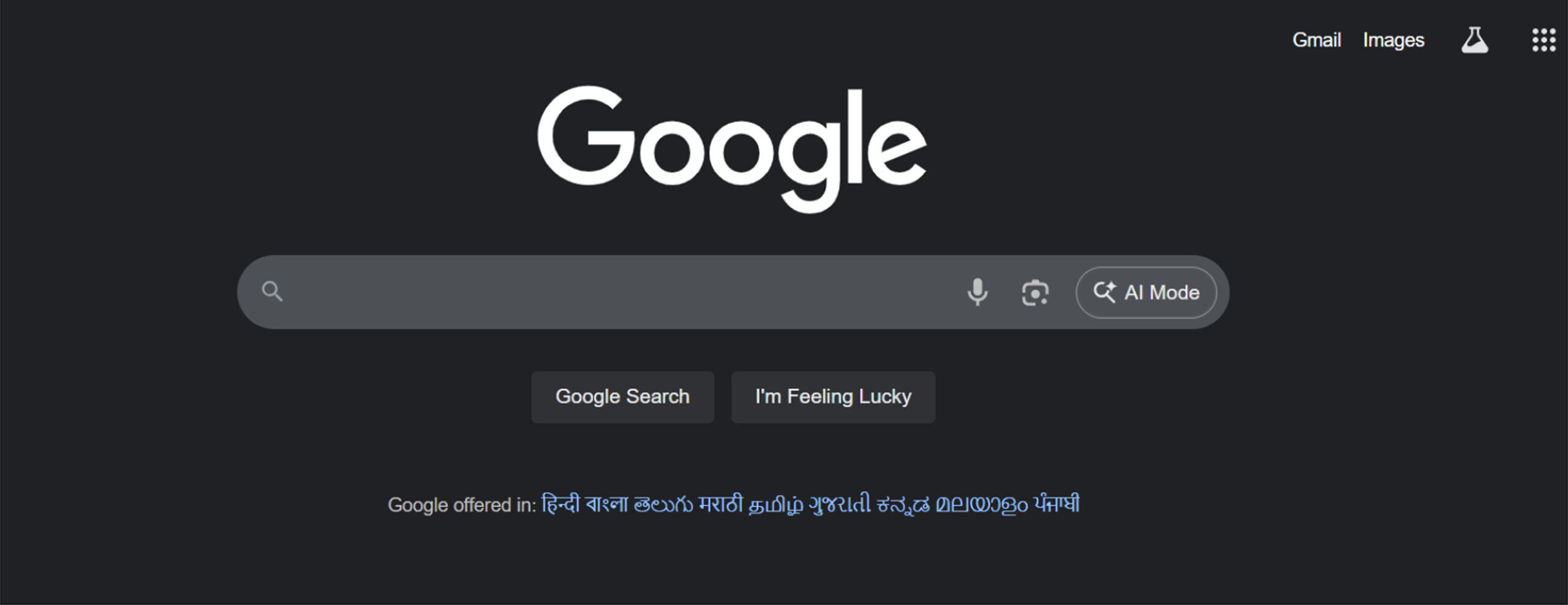
The biggest news? Google has added an AI Mode button directly on its homepage, next to the traditional search box. This subtle but powerful UI update means Google AI Mode is officially out of Search Labs for many users and now being actively promoted across Chrome, Safari, Edge, and other desktop browsers.
This change signals one thing loud and clear: AI-powered search is no longer an experiment; it’s the new standard.
What is AI Mode in Google Search?
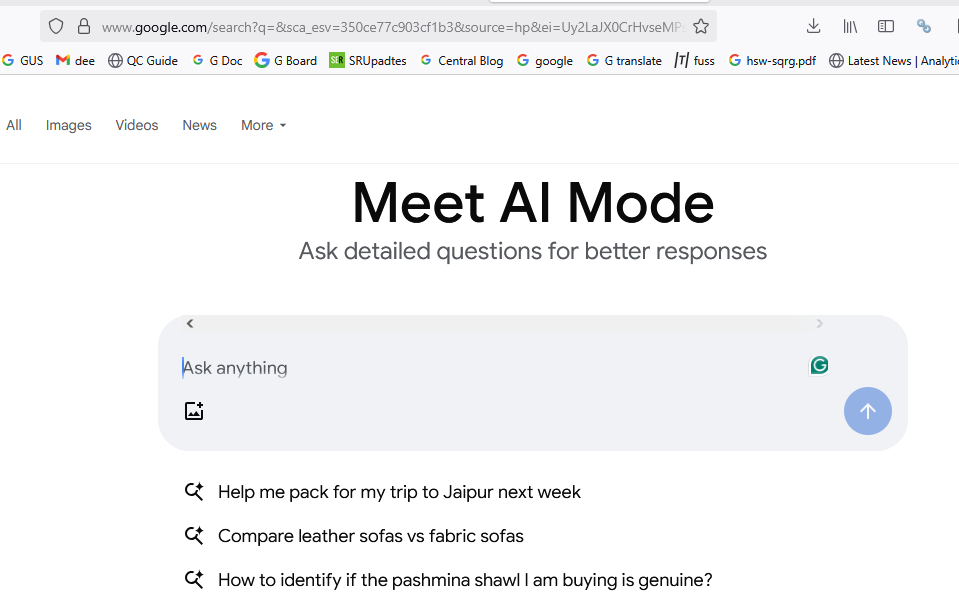
Google AI Mode is an enhanced, interactive version of search that uses generative AI, query fan-out, and multimodal capabilities to provide more nuanced and informative results. Unlike traditional search, which lists links, AI Mode attempts to understand your query deeply, break it down into subtopics, fetch related information from across the web, and provide a conversational answer.
It works with
- Text
- Voice
- Image input
- Live video (new!)
- PDFs and file uploads (coming soon)
Google AI Mode is designed for more complex queries that require reasoning, comparison, or step-by-step planning, making it particularly helpful for students, researchers, and knowledge seekers.
New AI Mode Features Just in Time for Back-to-School
1. Ask Questions About PDFs and Images (Now on Desktop)
Already available in the Google app, this feature is now rolling out to desktop browsers. You can upload an image or a PDF, and ask Google Search AI Mode to analyze, explain, or expand upon it.
Example use cases:
- Upload your lecture slides and ask follow-up questions to deepen your understanding.
- Screenshot a diagram and ask what it means.
- Drop in a PDF research paper and ask for summaries or comparisons with newer studies.
Coming soon: Support for additional file types and integration with Google Drive documents for seamless context-aware search.
2. Plan Projects with Canvas
Canvas is a new organizational feature within Google AI Mode that helps users plan, structure, and refine complex tasks across sessions. Think of it like a smart sidebar that builds a custom plan for you as you chat.
Use it to:
- Create study guides for exams
- Plan a travel itinerary
- Draft a research outline or prep a class schedule
Just ask AI Mode for help with a task and tap “Create Canvas” to start. You can return to the same Canvas later and update it using follow-up queries or by uploading related documents.
Currently available in the U.S. for users 18+ enrolled in the Labs experiment.
3. Search Live with Video Input (Mobile Only)
This one’s straight from Google’s Project Astra playbook. AI Mode now supports live video-based search through the Google app. Using Google Lens + AI Mode, you can point your phone at something, say a science experiment and ask real-time questions. The AI understands what it’s seeing and responds with context-aware, visual answers.
Perfect for:
- Explaining experiments or physical models
- Getting help with real-world tasks like fixing a bike or assembling furniture
- Asking about objects in motion (e.g. “Why is this ball bouncing this way?”)
Rolling out this week on mobile for U.S. users in Labs.
4. Screen-Aware Search in Chrome
Starting soon, users on Chrome desktop will be able to ask Google AI Mode questions about what they’re viewing directly from the address bar. A new option, “Ask Google about this page,” will appear when you click the URL bar, activating Lens and opening AI Mode in a side panel.
You can then:
- Select images, charts, or diagrams from the current page
- Get an AI Overview of the selected item
- Click “Dive deeper” for follow-up questions in AI Mode
This opens up a new frontier in contextual learning while browsing, especially useful for students working through online coursework or web research.
Why This Matters for SEO, Marketers, and Site Owners
Google is clearly signaling that AI-first search behavior is here to stay. With Google Search AI Mode now accessible from the homepage and supporting more media types than ever, search is becoming:
- More visual
- More conversational
- More contextual
But it also means some serious changes are underway:
1. Search Console Tracking Remains Blurry
Although Google AI Mode traffic is now technically part of your Search Console data, Google doesn’t break it out, meaning publishers can’t differentiate AI Mode queries from standard ones. Expect some noisy, less-attributable traffic.
2. Topical Depth and File Context Matter
AI Mode pulls from deeper sources. Offering PDF guides, slide decks, FAQs, and multi-format content can make your site more AI-discoverable. And when Google starts pulling from Drive files and user-uploaded content, aligning your brand with educational or research-friendly resources becomes even more valuable.
3. Visibility Could Shift Fast
Google’s homepage is its most valuable real estate. Placing the Google AI Mode button front and centre will drive usage. As more users adopt it, traditional organic listings may get less attention in favor of AI summaries and generated answers.
4. Content Needs to Be More Contextual and Rich
Google Search AI Mode relies on pulling insights from multiple trusted sources. This puts pressure on publishers to create well-structured, fact-rich, and contextually deep content that AI can easily parse and prioritize.
If your site lacks depth or semantic clarity, AI Mode may overlook it, even if you’re ranking well in traditional SERPs.
5. Follow-Up Queries Could Reshape Keyword Strategy
Since AI Mode is designed for exploration, users are likely to engage in follow-up questions. That means the old idea of targeting a single keyword per page won’t cut it. Instead, content should anticipate related questions and subtopics, so the AI includes your site as part of the “fan-out.”
Why Marketers Should Care
This isn’t just another experimental feature, this is the future of Google Search. By embedding AI Mode on the homepage, Google is giving it first-class status and encouraging widespread adoption.
Whether you’re in content marketing, SEO, or digital strategy, here’s what you need to do:
- Audit your content for depth, authority, and topical breadth.
- Revisit how you structure information with clear headings, schema markup, FAQs, and multimedia help.
- Stay close to your analytics even if messy, they may hold signals about traffic shifts.
- Prepare for a hybrid SERP environment where AI answers and traditional links coexist.
How To Turn Off AI Mode on Google
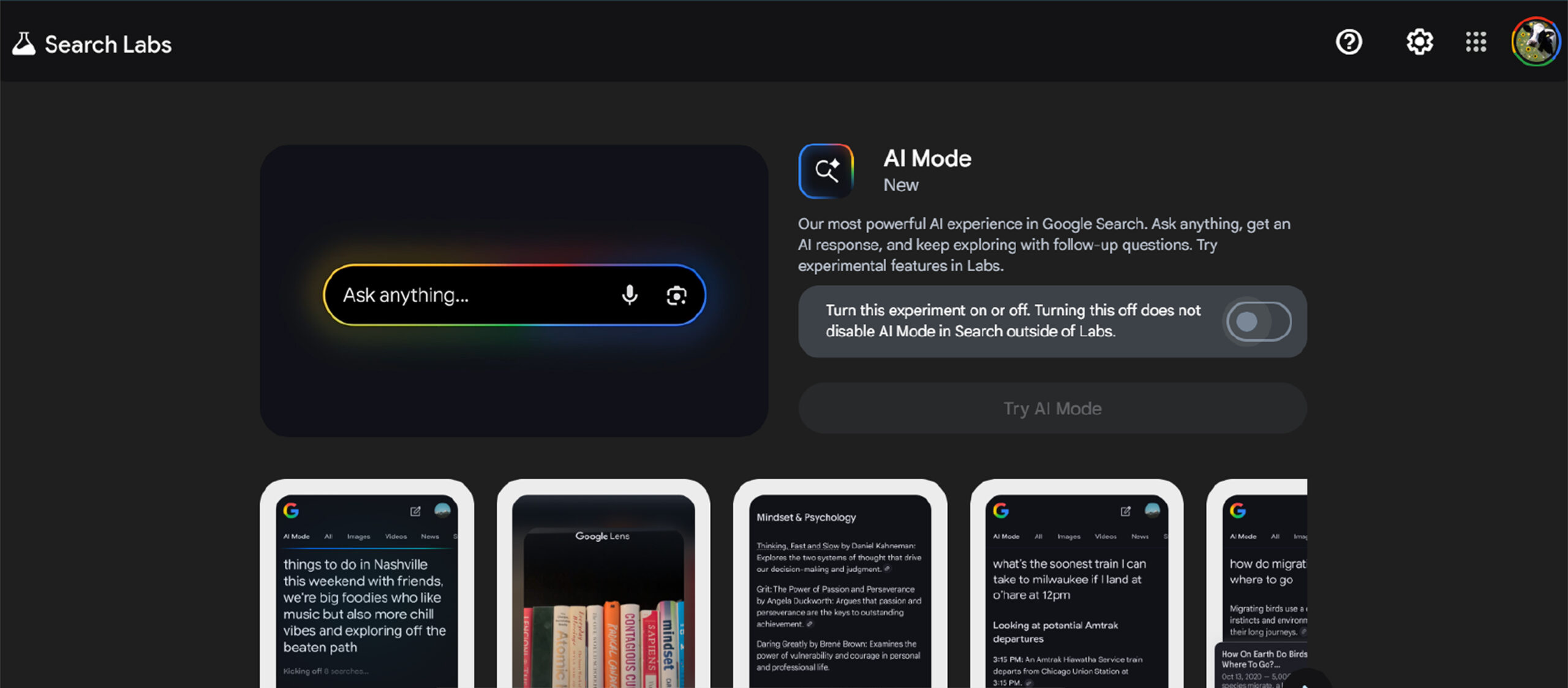
To turn off AI Mode in Google Search, head to your Search Labs settings. In the Labs section, find the feature and toggle it off. Once disabled, AI-generated overviews will no longer appear in your search results.
To Sum Up
This update isn’t just a feature drop, it’s a directional pivot. Google is putting AI Mode at the heart of its search experience, and it’s actively reimagining how users interact with information.
Whether you’re optimizing content for AI visibility, helping students find better answers, or just curious about where search is going, one thing’s clear:
Search is no longer just about finding links, it’s about understanding, planning, and interacting.
And Google’s AI Mode is leading the charge.
For more information, follow DigiXLMedia, we post regularly on our socials – X, LinkedIn and Facebook.